
How to Change Your MT4/MT5 Master Password
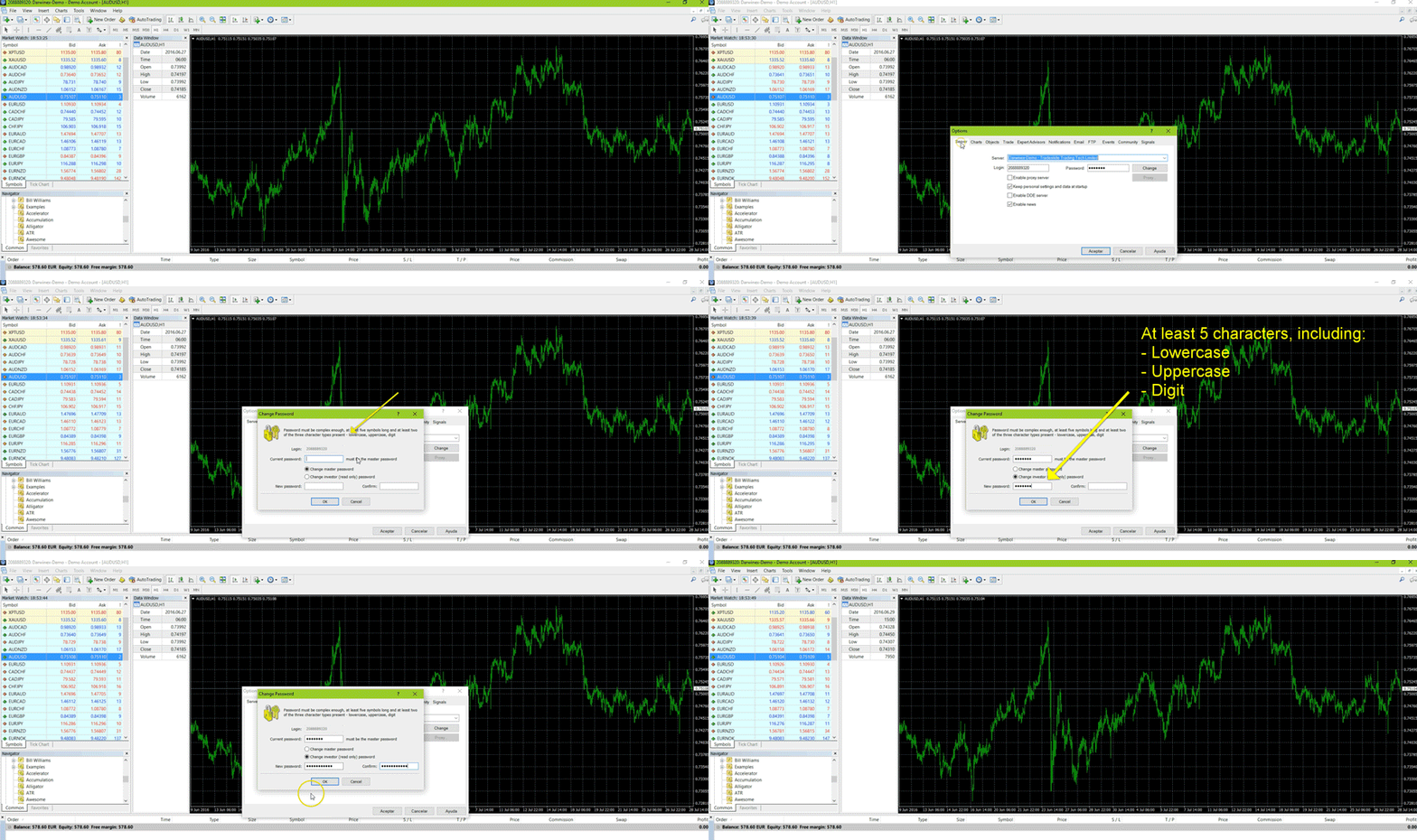
- Open your MT4/MT5 platform
- Click "Tools"
- Click "Options"
- On the "Server "tab, click "Change"
- Type your current master password
- Click "Change master password"
- Type your new master password, confirm it in the second field, then click "OK"
How to Change Your MT4/MT5 Investor (Read-Only) Password
- Open your MT4/MT5 platform
- Click "Tools"
- Click "Options"
- On the "Server "tab, click "Change"
- Type your current master password
- Click "Change investor (read-only) password"
- Type your new investor password, confirm it in the second field, then click "OK"
Lost/forgot your master password?
Master passwords cannot be reset directly from the MT4/MT5 terminal — you must use the Darwinex portal instead.
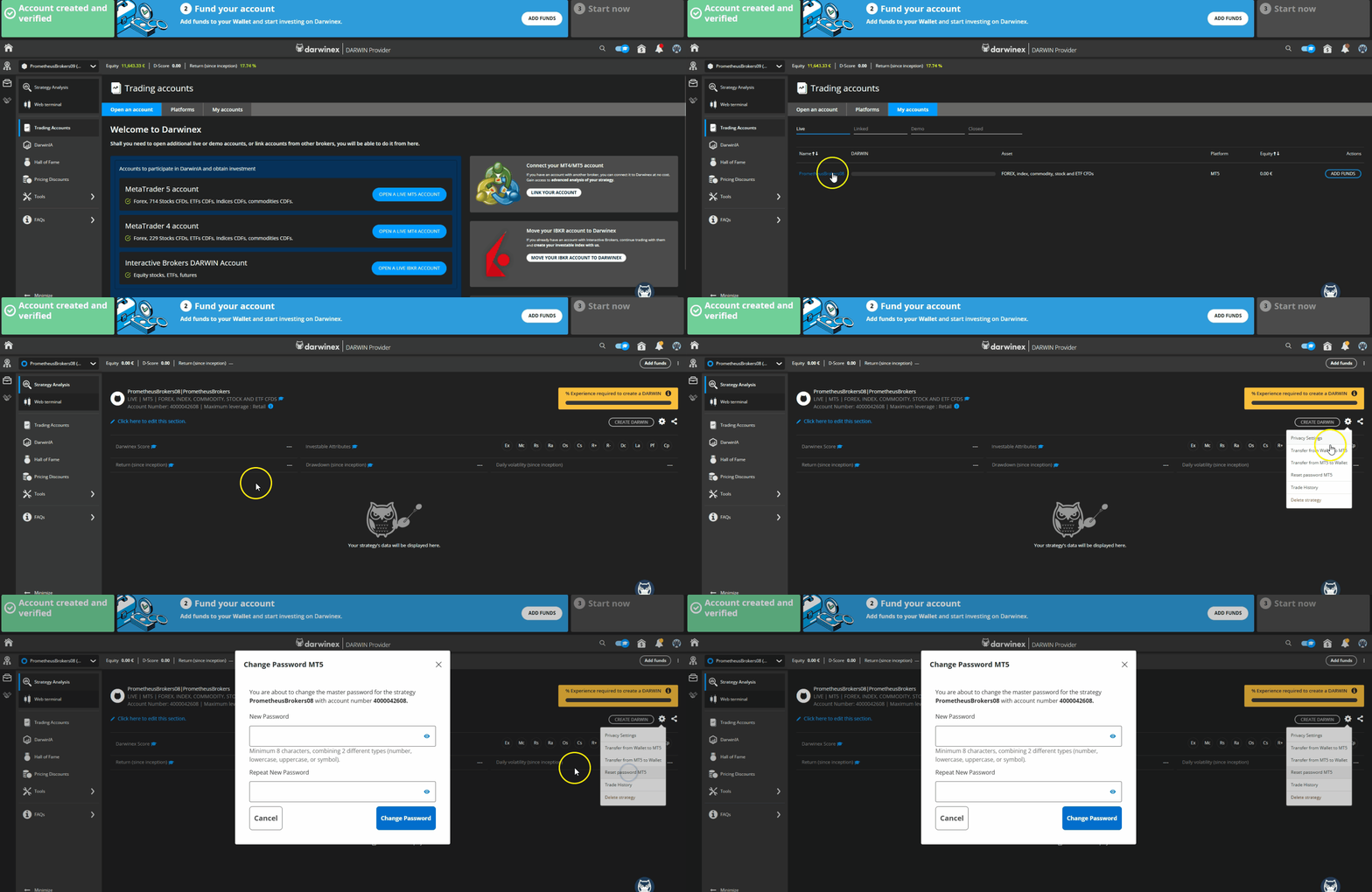
To reset your master password via the Darwinex portal:
1. Log in to your Darwinex trading account portal.
2. Click the Settings icon (gear icon).
3. Select "Reset password MT4/MT5".
The animated image below illustrates these steps:
Please send us an email to info@darwinex.com from the email address associated with your Darwinex account. Include your MetaTrader account login number so our support team can assist you promptly.